What the app does. And what it leaves out.
Four buttons for the day, a band for the rhythm, an album for what stays. And a few things that are missing on purpose: no targets, no grades, no pressure.
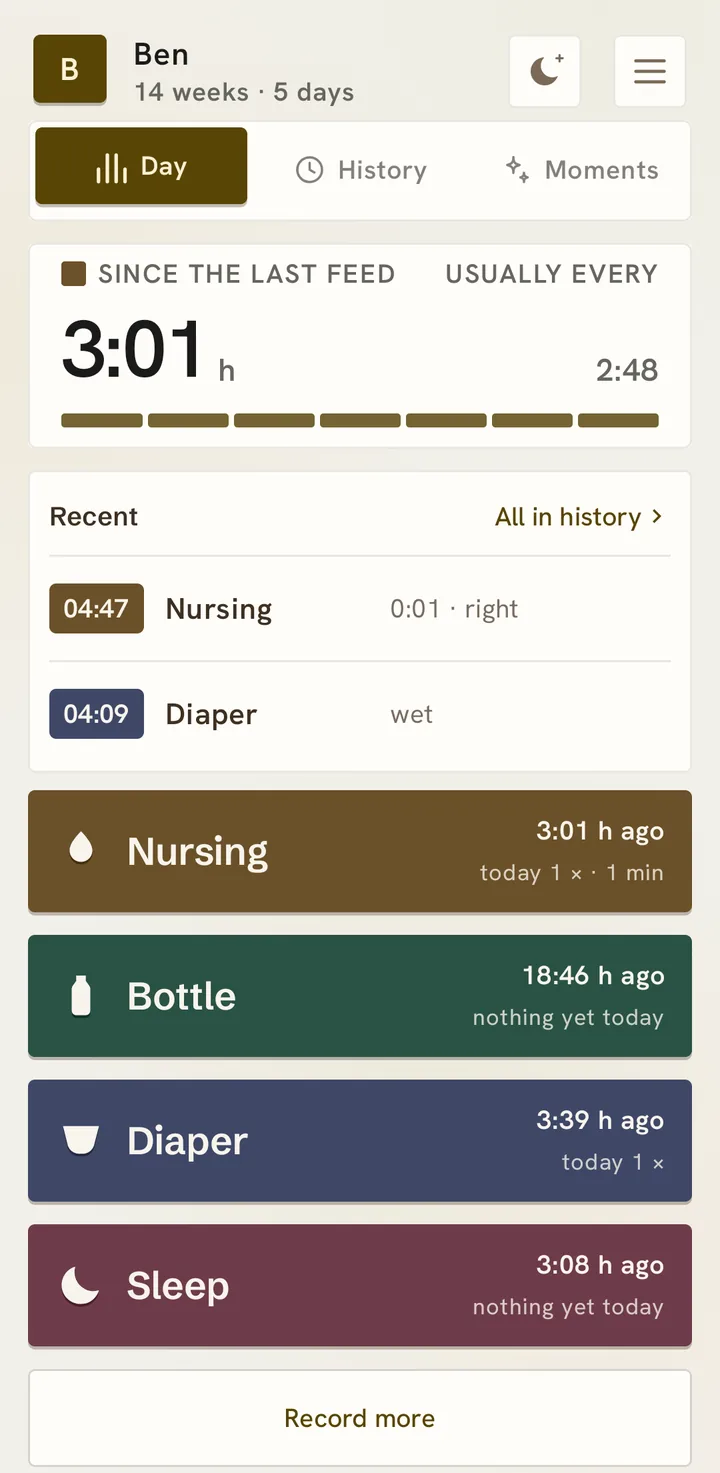
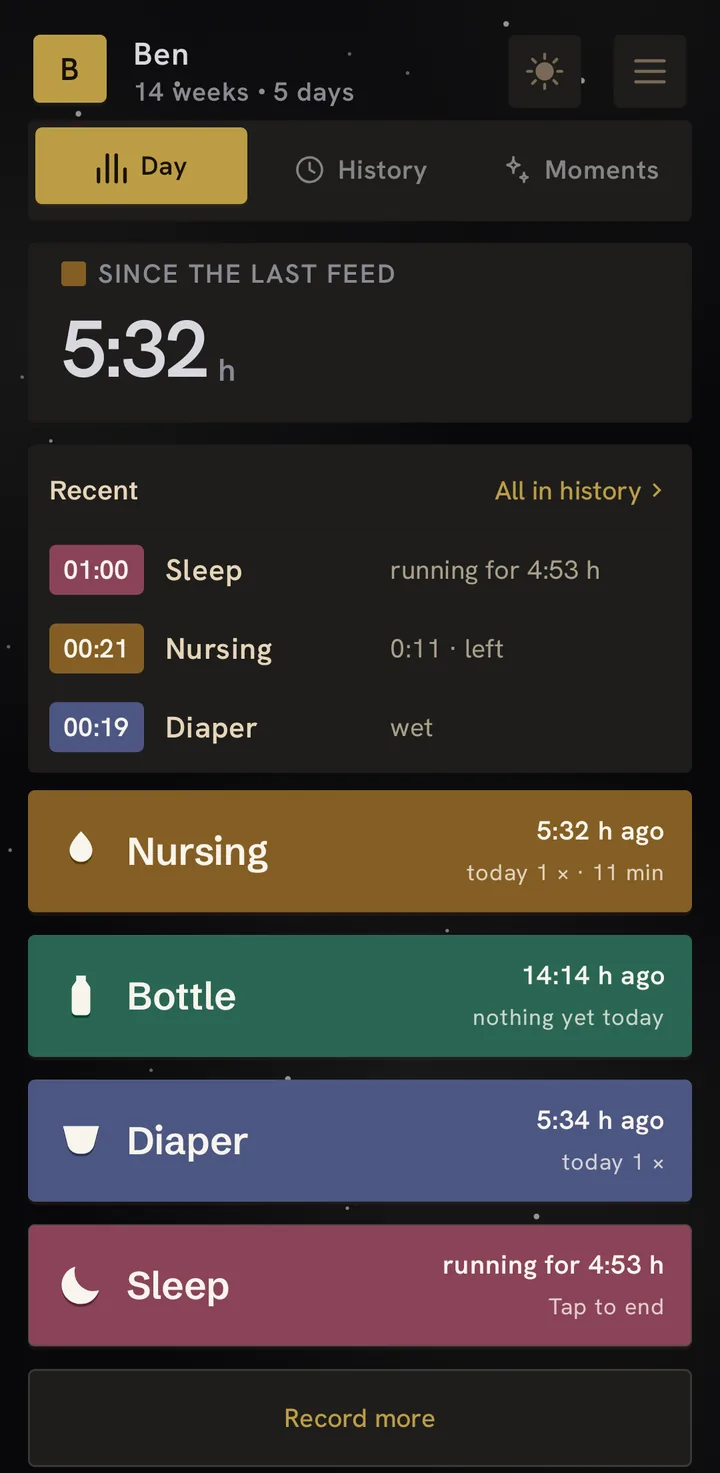
One glance, one tap.
At the top: how long since the last feed, and when it is usually time again by your rhythm. Below, depending on the template: four large buttons with the latest entries (Simple), tiles like in many apps (Calm), or a tower of blocks for each kind (Playful). You choose on first start and can change it any time.
One tap starts nursing or sleep; for a bottle a sheet with amount and time comes up, and “Save” logs it. After that the app asks nothing more. A tap on an entry opens it for editing.
At night the app goes quiet: a dark background, a large number, only what matters right now. Nothing bright at three in the morning.
First the list, then the picture.
The history opens on today’s list: every entry with its time, above it the day’s totals and filters in words. Page back day by day with ‹ and ›. Under “Insights” it becomes a picture:
One day is one line, the clock runs sideways. Sleep as an area, feeds as strokes, diapers as marks. It shows what no number can: when, and whether it settles.
Below it three numbers, not thirty: the daily average per type, with the trend against the equally long period before. Under five percent the trend stays silent, because that is noise.
Today, week, month, or any window you pick. Every type has its own page: usually around this time, how much, the week as bars, the latest entries. The list of all entries is one door further: every time a block in the color of its type, and next to it who entered it.
Two children, two towers.
From the second child on, a tap on the header cycles through them. Every child has its own day, its own history, its own moments, its own reminders. One group for the whole family, however many children are in it.
And if a profile has to go: it sits in “Recently removed” for three days and comes back with one tap. After that it is really gone, on every device in the group, with all its entries. If you want to keep the data, back up first.
Reminders, if you want them.
Nurse every two hours, bottle every three: you set the interval, the app counts from the last entry, not by the clock. If your partner feeds, the reminder moves by itself.
Vitamin D and medication go by the clock: fixed times, as many as you need. If the dose is already logged, the reminder stays silent – and on Android a tap on “Given” logs it right from the notification.
And if you are at work: quiet hours for this phone only, pause briefly or set fixed times, say Monday to Friday. Reminders are set by the phone itself, no service, no account. And the app does not nag: no counters, no “you have not logged anything for four hours”.
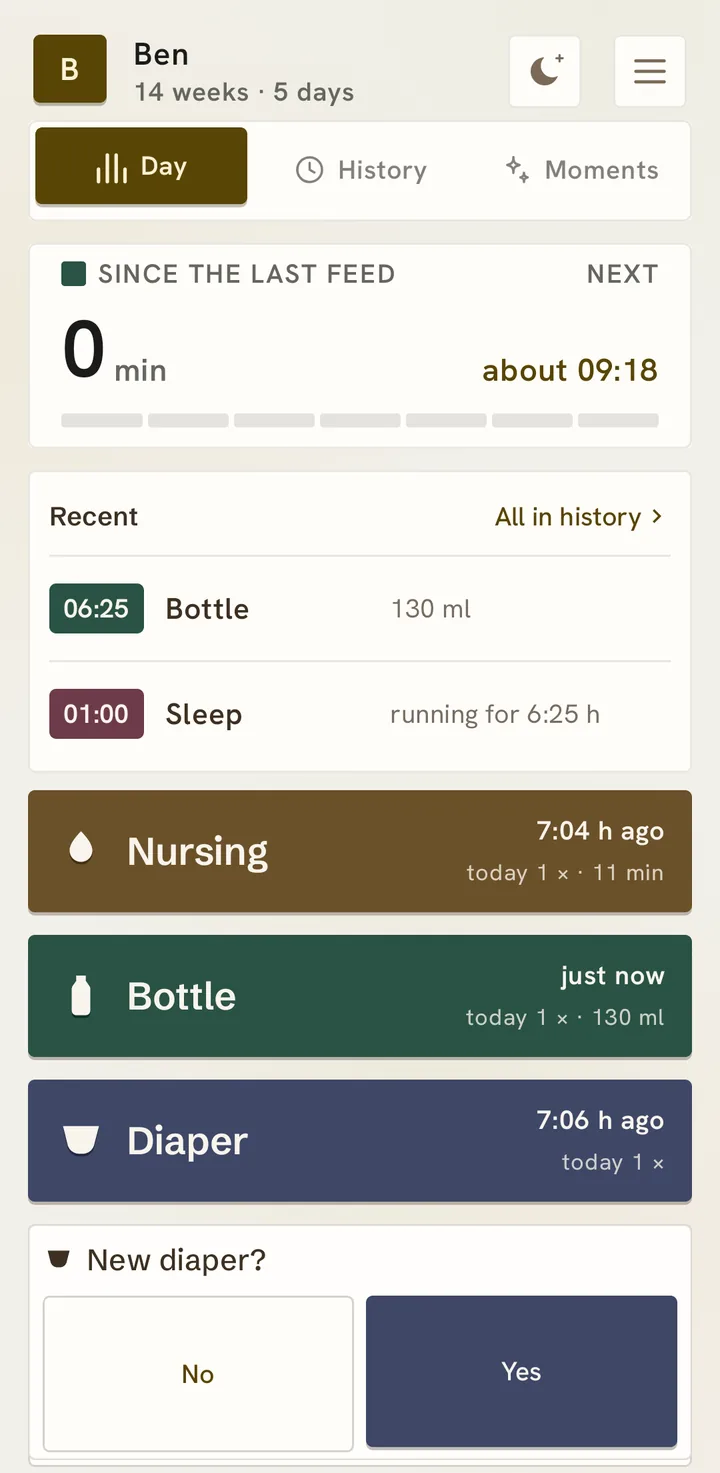
New diaper? Yes or no.
Feeding and changing often go together. So after nursing, a bottle, breast milk or solids, the app asks once: new diaper? On yes: wet, dirty or both, done.
Two large buttons across the full width, for a thumb at three in the morning. Don’t need it? Switch it off under Settings → Questions after logging.
Stop it without opening the app.
While a timer runs, it sits as a notification in the shade and on the lock screen – there without names. One button, one hand, done. built
The widget on the home screen: four signs, below each when the last one was, one tap logs it. Small, in the design of the system, no wood, and if you like, one per child side by side. built
And the watch on your wrist: on Wear OS a tile to log and stop, a list for everything else, and on the watch face how long it has been. The Apple Watch comes later. built
Everything marked “built” is in the app as shown. Only the Apple Watch is still open – it joins once it runs.